

Facilitating Clear Data Sharing for All Users.
The Export to PDF and Excel feature within Illumex is designed with user convenience in mind, enabling the straightforward exporting of key data elements. This functionality is invaluable for users needing to share insights with colleagues and stakeholders who may not have direct access to the company’s data tools.
For PDF exports, a wide array of data elements can be accommodated, including business terms, attributes, metrics, analyses, tables, columns, BI data models, dashboards, and visuals. This broad range ensures comprehensive coverage of your data-sharing needs, making it possible to convey detailed insights in a format that is easily accessible and understandable to a diverse audience.
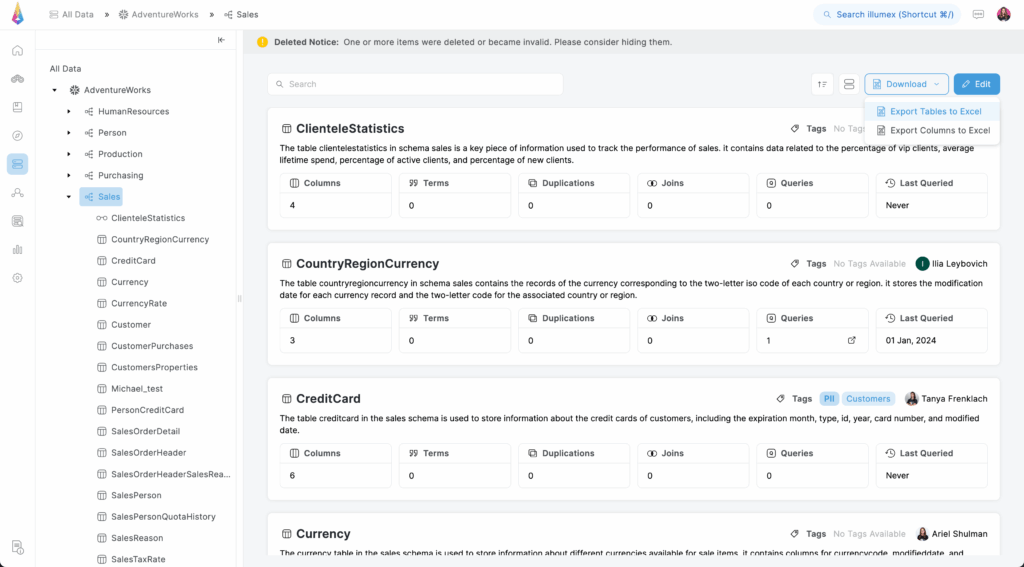
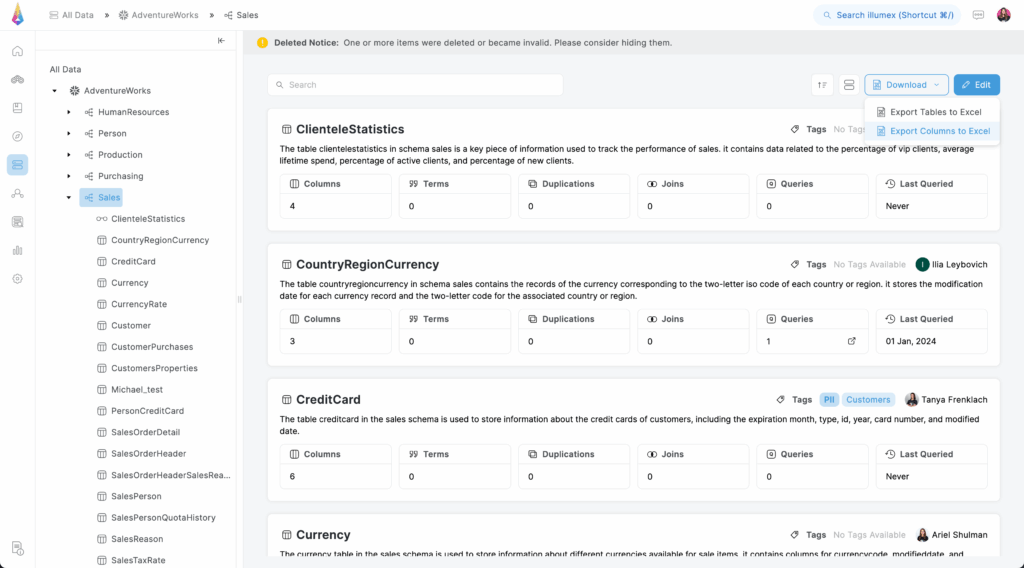
The Excel export is tailored for more granular data needs. It is specifically designed to handle columns (all under database, schema, or table), and tables (all under database or schema). This makes it an excellent choice for users who require detailed data manipulation or further analysis in a familiar spreadsheet environment.
Use the Download button on a list view, cards view, or single object view and select the desired export to an Excel or PDF file.

- GenAI Agent Deployment
- AI Ready Data
- Semantic Layer
- Self-Service Data Discovery
- Data & Analytics Governance
- Al-Based Assistant
- General
- illumex API
- illumex Plugins
- Admin
- Data Layer
- illumex MCP tools